
Find who to call.
Tell PitchWhip who you sell to and where. It finds up to 10 new people a day who fit, each with the reason and the source.
Open any LinkedIn profile and PitchWhip finds their direct phone number and work email, then writes the call script around your pitch.
Free to install · Desktop Chrome
 Google Sheets
Harbour Studio is hiring two account managers this month.
Hi Alex, I work with growing teams who want their sales follow-up to feel more personal. How are you keeping track of the conversations your team starts?
Because most of the time, they aren’t actually selling.
Tell PitchWhip who you sell to and where. It finds up to 10 new people a day who fit, each with the reason and the source.
Open a LinkedIn profile and reveal their direct dial or work email. One reveal is one number or one email, and a miss costs nothing.
An opener, the questions to ask and answers to the objections you will hear, written from your pitch and their profile.
Log the call, set the callback, and let the follow-up email go out from your own mailbox.
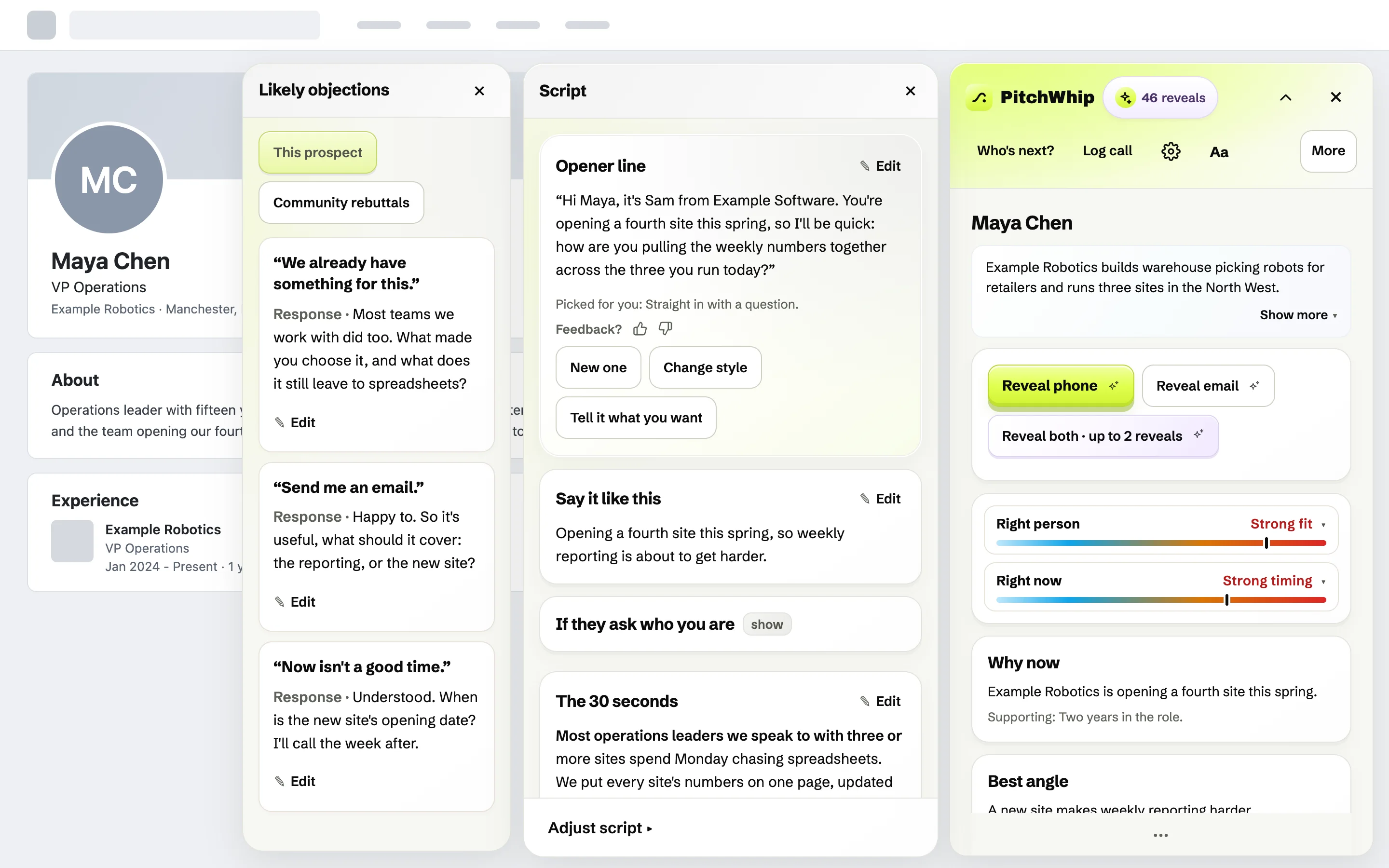


Real PitchWhip screens. The people, companies, numbers and emails in them are invented.
Try the free script allowance with your work email. Move to Pro when you want the wider calling and follow-up workflow.
Add to ChromePitchWhip writes the message for the person you are looking at and puts it straight into LinkedIn’s message box, so all you do is read it and press Send. Your follow-up emails can send themselves.
PitchWhip works on the profile you have open and you press Send, so your account behaves as it always does, with none of the bulk sending that gets accounts restricted.
The extension is free to install. A work email gives access to the free script allowance and the introductory phone and email reveals. See Pricing for the current eligibility and limits.
Yes, your PitchWhip dashboard works on your phone: check today’s tasks, your calls, lists and follow-ups wherever you are. The extension itself runs in desktop Chrome, so send yourself the desktop link and install it when you are back at your computer.